Most architects who try Midjourney do the same thing: type "modern villa overlooking the ocean," get one stunning image, post it, and move on. That's using a parts factory to make a single souvenir.
Here's the shift that actually changes your workflow: Midjourney isn't a render button — it's an asset factory and a concept accelerator. The architects getting serious mileage out of it aren't generating one finished picture. They're mass-producing the ingredients of great presentations — bespoke trees, seamless textures, diverse human figures, color palettes, even whole sheet layouts — and compositing those pieces in their real software. Once you see it that way, six concrete techniques fall out. Let's build up to them, starting with the basics you actually need.
For the wider field, see our roundup of the top architecture AI tools; this guide goes deep on Midjourney specifically.
The setup, briefly
Two things surprise newcomers. First, Midjourney generates photorealistic images from text descriptions — buildings, landscapes, materials, urban scenes — but it does not produce accurate, dimensioned renders of your model. It's a visualization and ideation tool, full stop. Second, it mostly lives on Discord, not a polished web app.
Getting going: sign up on the Midjourney site, join the Discord server, and find your way around channels like #new-users and #tips-and-tricks. Then learn three things:
/imagine— your main command. Type/imaginethen a prompt:/imagine Modernist villa overlooking the ocean.- Refinement — the bot offers variations and upscales on every result; iterate from there.
- Prompt crafting — the single biggest lever. Specific details about style, materials, light and environment are what separate a generic image from your envisioned one.
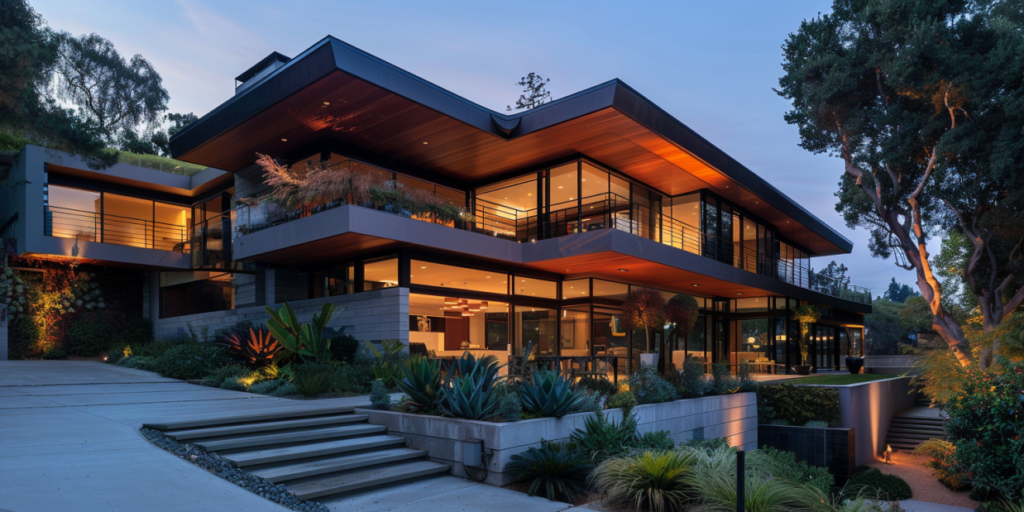 A Midjourney architectural visualization
/imagine a modern residential house and architecture masterpiece. --ar 2:1
Notice --ar 2:1 — that's an aspect-ratio flag. You'll meet two more constantly: --v 6.0 (model version) and, crucially for tip 2, --tile. Flags are how you steer the factory.
Tip 1: A library of bespoke trees and plants
Stock landscaping assets are a curse — the same five sad trees in every render. Midjourney lets you grow your own, tuned to the project's geography, season and style. The trick that makes them usable is the turnaround page: ask for multiple angles of the same subject on a clean background, and you get a consistent asset you can drop into any view.
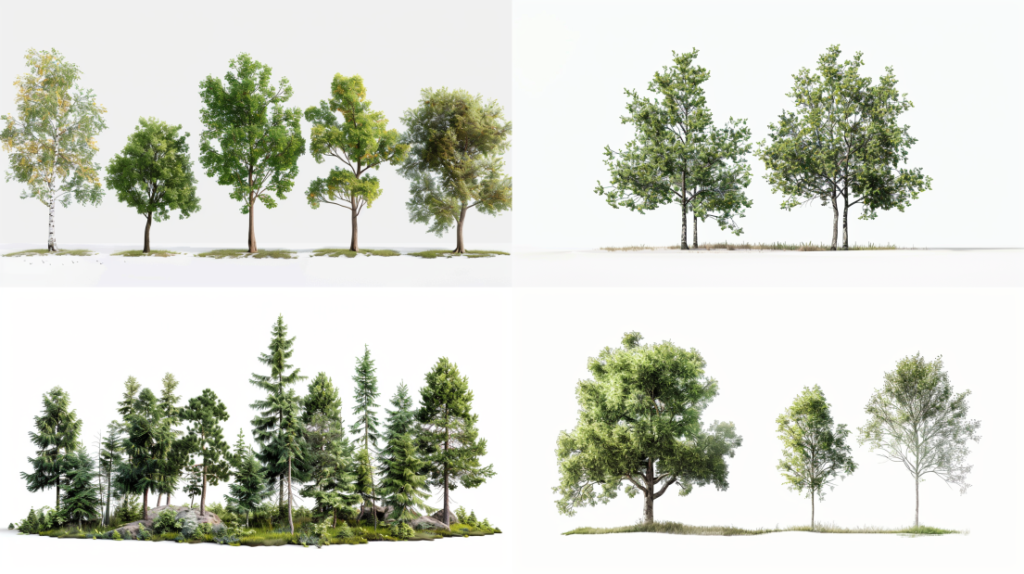 A Canadian trees turnaround page
/imagine canadian trees detailed photorealistic turnaround page white background --ar 16:9 --v 6.0
The practical recipe: write specific prompts ("deciduous tree in autumn foliage, intricate branches, textured bark"); the white background makes background removal trivial in any editor; and lean on Midjourney's endless variations to build a diverse set. Tweak one word — the season, the species, the color scheme — and you've got a whole planting palette for the cost of a few minutes.
 A turnaround page keeps an asset consistent across angles
Tip 2: Seamless textures with --tile
Textures are where a model crosses from "obviously CG" to "feels real." The problem with most AI images is that they don't tile — apply them across a wall and you get an ugly seam every repeat. Midjourney solves this with one flag.
Add --tile and the image is generated to repeat infinitely without visible borders — exactly what a material map needs:
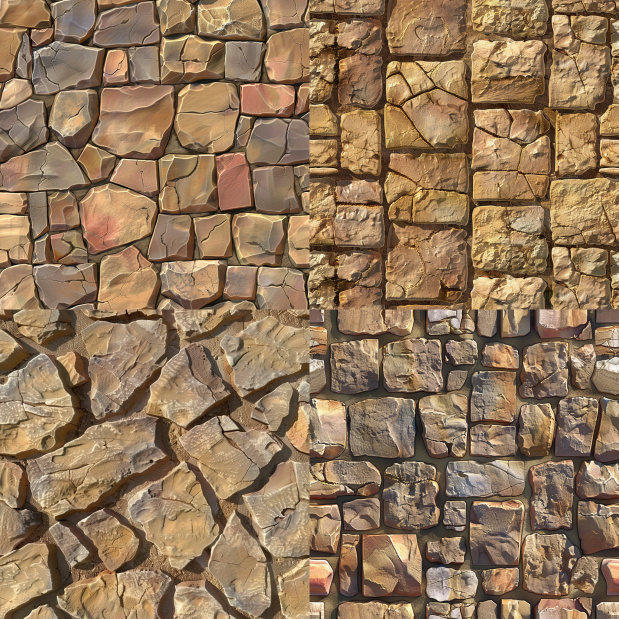 Seamless sandstone, generated with
 --tile
/imagine realistic sandstone pavement stone --tile --v 6.0
The same flag makes any material seamless — stone, marble, weathered brick, polished concrete:
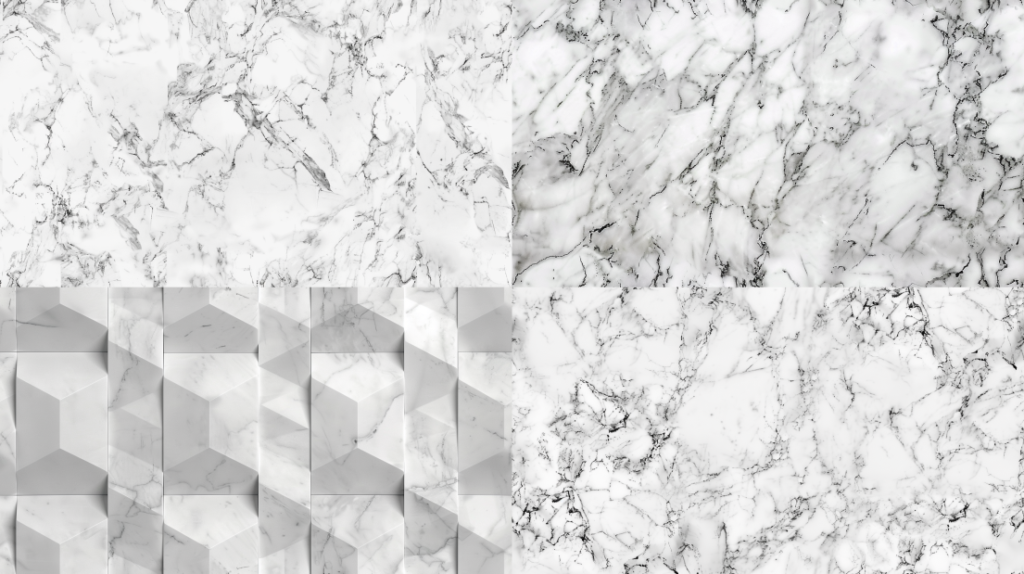 Carrara marble, also
 --tile
/imagine white carrara marble pattern --tile --ar 16:9 --v 6.0
Be specific about material, colour, age and pattern ("weathered brick with moss for a historical exterior"), generate at the highest resolution for crisp detail, and save the keepers into a texture library. That library compounds in value — every project you do makes the next one faster.
Tip 3: Whole presentation boards
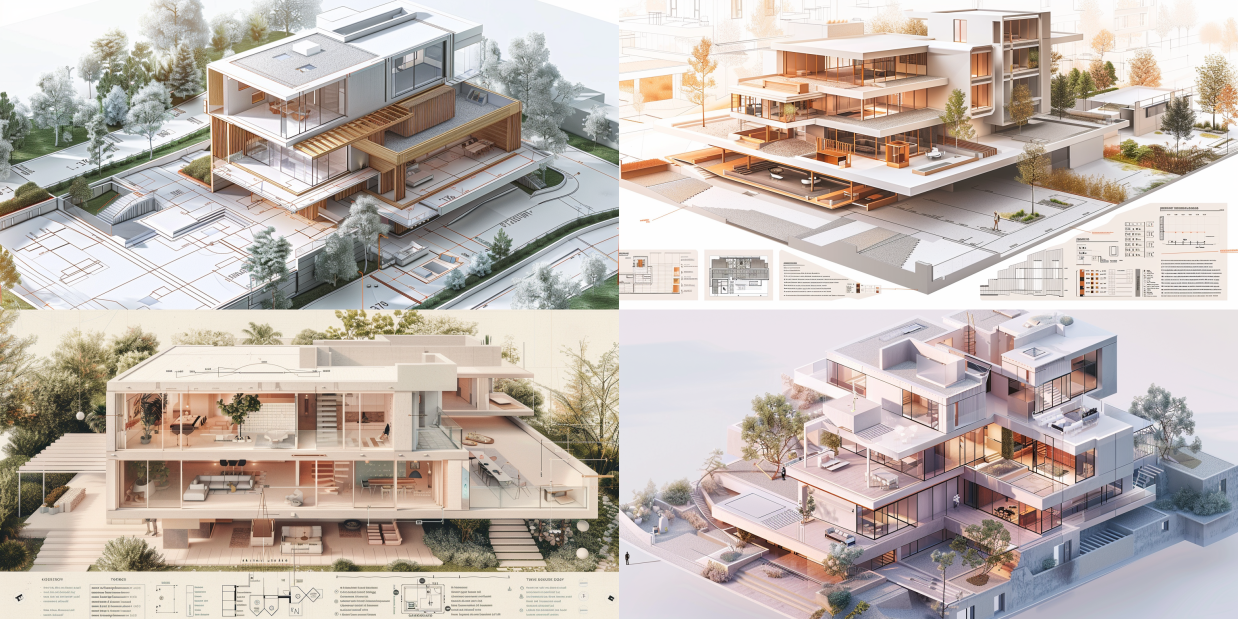
This one feels like cheating. Beyond individual images, Midjourney can rough out entire sheet compositions — the layout of plans, sections, vignettes and text that normally eats hours of fiddling in InDesign. You won't get a final, editable board, but you'll get a layout inspiration you might never have arrived at:
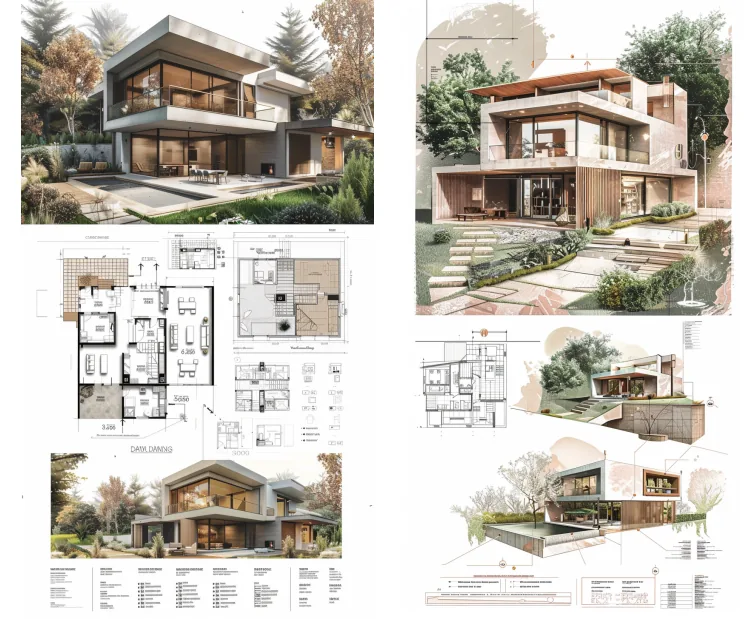 A presentation board layout generated from a single prompt
/imagine an architectural presentation board of a modern residential house with floor plans, isometric, sections, technical details, 3d rendered views in pastel theme with illustrations and text neat compositions and formatted graphics --ar 4:7 --v 6.0
The more specific the prompt, the more usable the composition — name the diagrams, the styles, the mood. Then take the result into real design software to drop in your actual drawings. Midjourney handles the look; you supply the truth.
Tip 4: Sketch to render (the image-to-image trick)
Here's the most powerful technique, and the one most people don't realise is possible: Midjourney can take your sketch as input. This is image-to-image, and it's how you bridge a napkin drawing to a photoreal concept in minutes.
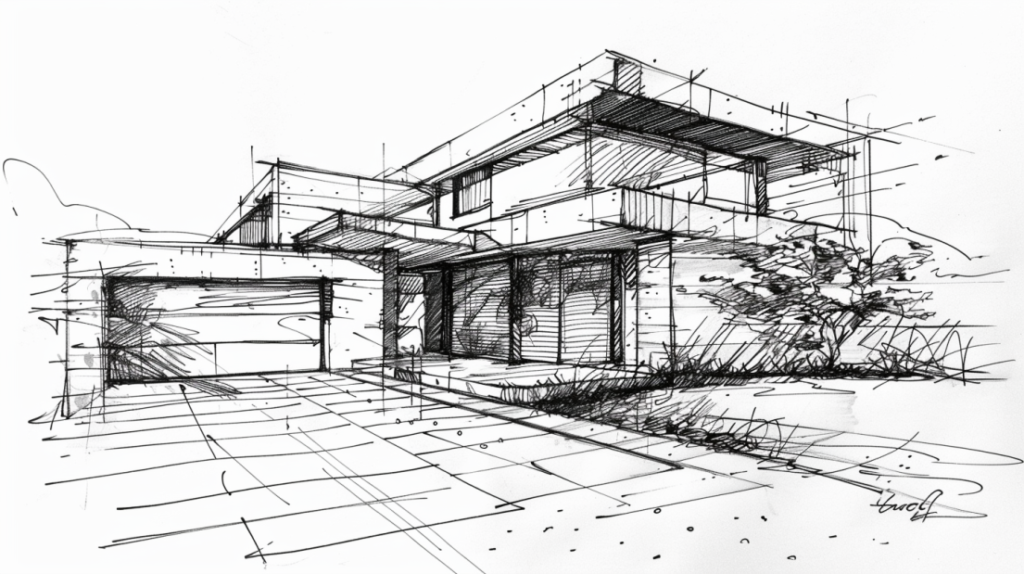 Start with a hand sketch
The workflow, step by step:
- Prepare the sketch. Hand-drawn or digital — capture the structure and key features. Scan or photograph it clearly, well-lit.
- Get its URL. Upload the sketch to Discord, then right-click and "copy image address." That URL is what you feed the prompt.
- Craft the prompt. Lead with the image URL, then describe the target in detail — style, materials, setting, light, weather.
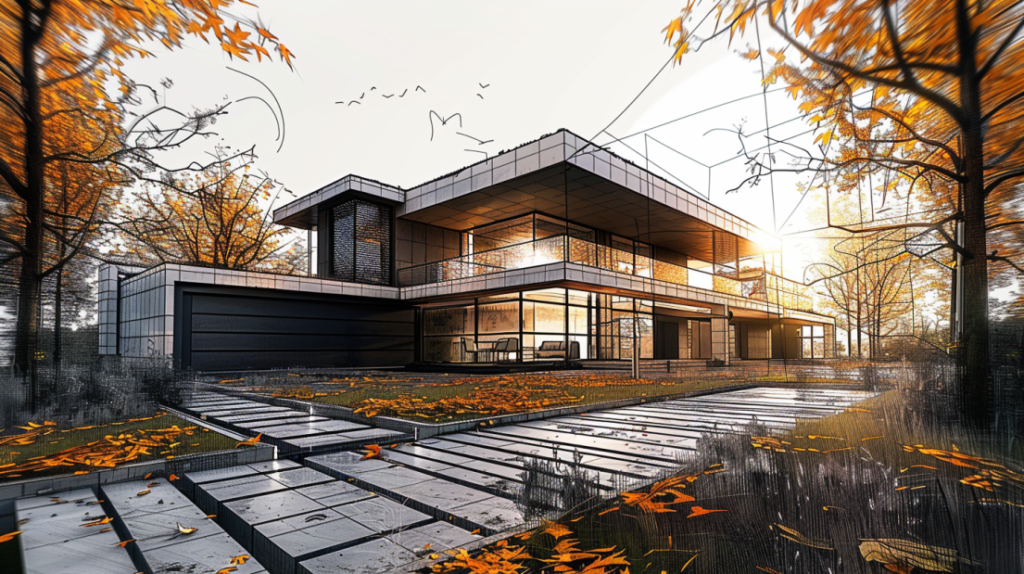 First pass: the AI interprets the sketch
/imagine https://your-image-url… Use this sketch to create a photorealistic rendering of a contemporary home with glass façades surrounded by an autumnal forest at sunset --ar 16:9 --v 6.0
- Generate and refine. Review, then tighten the prompt for scale, texture or context. A richer, more evocative prompt pulls the result closer to a finished render:
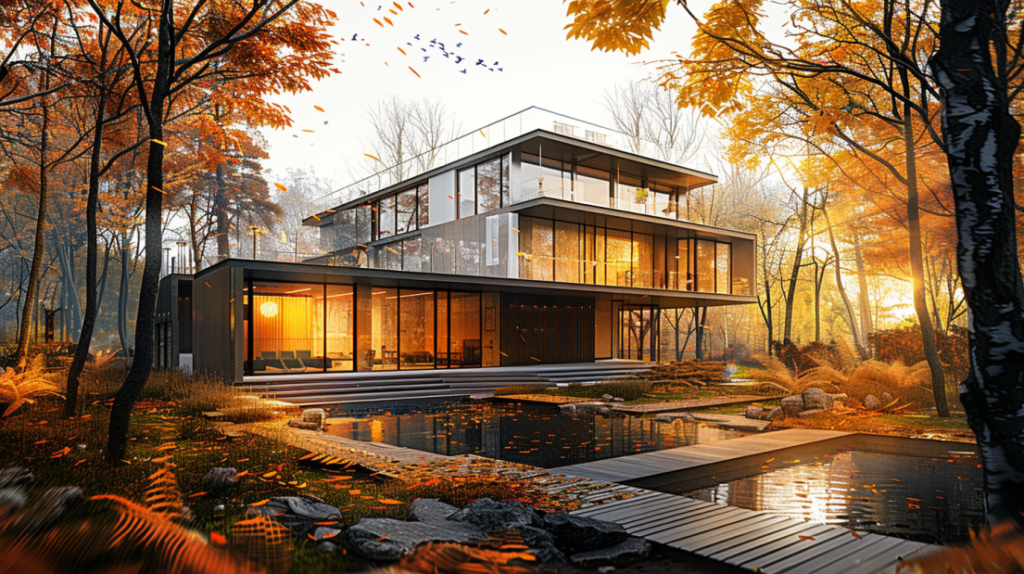 A refined pass with a more detailed prompt
/imagine https://your-image-url… using this shape and form, create a captivating visual representation midway between conception and completion of a photorealistic architectural rendering. Depict the contemporary home with glass façades emerging amidst the vibrant hues of an autumnal forest at sunset. Detail the interplay of light and shadow… --ar 16:9 --v 6.0
- Post-process. Pull the best option into your editing or visualization software for final colour, texture and composition.
Pro tip: stuck for a richly detailed prompt? Ask ChatGPT to write the Midjourney prompt for you — describe the scene plainly and let it produce the dense, descriptive version. Two AIs, one render.
Tip 5: Human figures that actually fit the scene
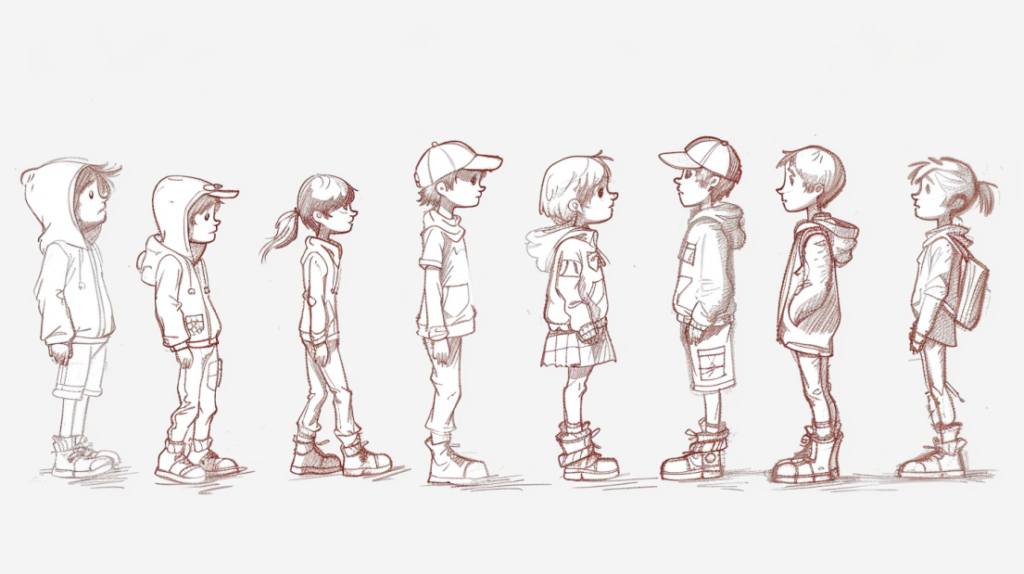
Empty buildings feel like models; people give them scale and life. Stock figure libraries are thin, repetitive and rarely match your scene's mood. Midjourney generates custom cutouts instead — and the turnaround-page trick from Tip 1 applies here too.
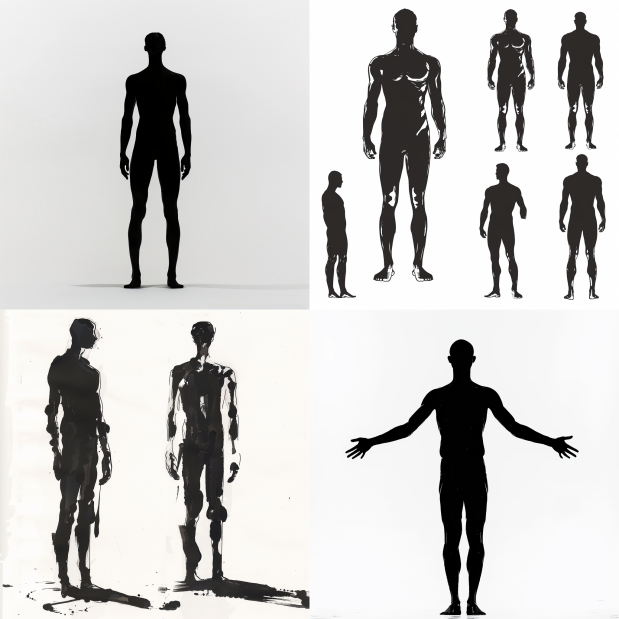 A silhouette turnaround page
/imagine human figure silhouette black figure turnaround page white background
Start from the scene's context (a busy plaza wants different people than a quiet interior), then prompt for specific figures — clothing, posture, action, mood: "a group of young adults in casual summer clothes, laughing and walking together in a city park." Match the style to your render, whether photoreal, sketch or flat vector:
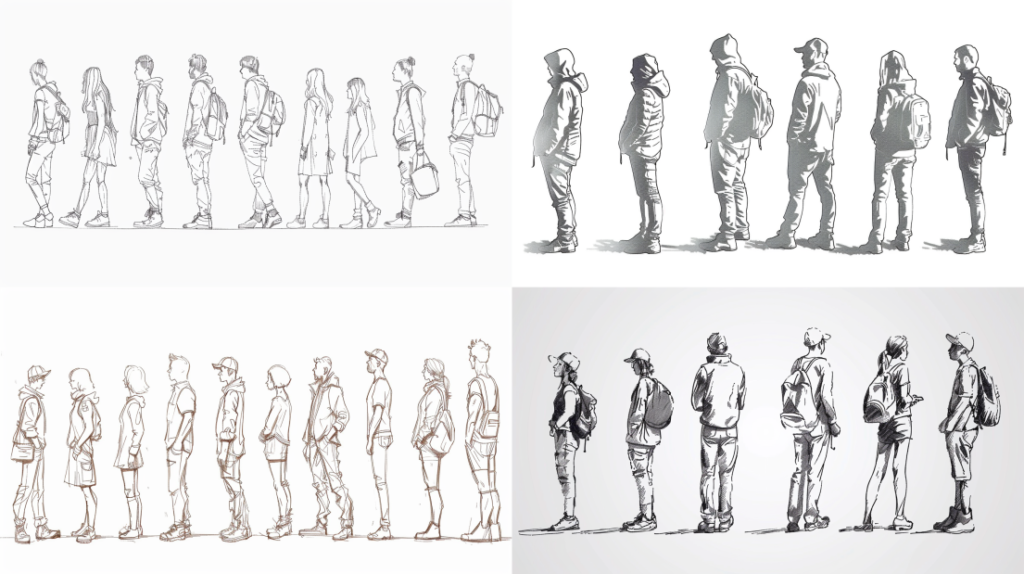 Hand-drawn figures for a sketch-style board
/imagine architecture hand drawn human figure men women kids black outline drawing turnaround page white background --ar 16:9 --v 6.0
When you composite, mind scale, shadows and how the figures interact with the space — that's what sells the realism.
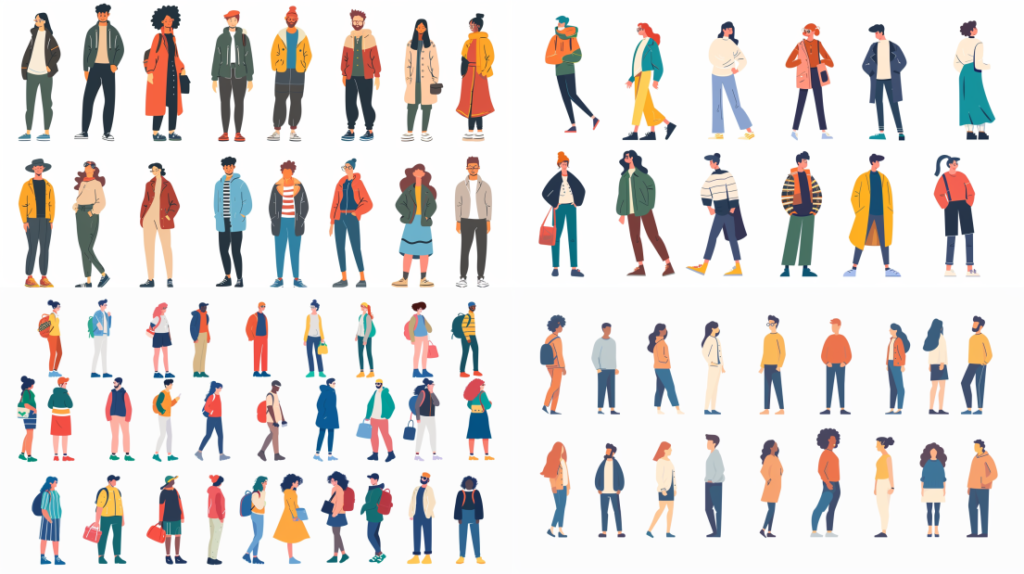 Flat vector figures for diagrams
/imagine architecture human figures flat vector illustrations men women kids drawing turnaround page white background --ar 16:9 --v 6.0
Pro tip: run the flat-vector outputs through Adobe Illustrator's image trace to convert them into clean, scalable vector files.
Tip 6: Color palettes for diagrams
Colour isn't decoration on an architectural diagram — it's communication. It separates zones, traces circulation, sets mood. Midjourney is a fast way to explore palettes before you commit:
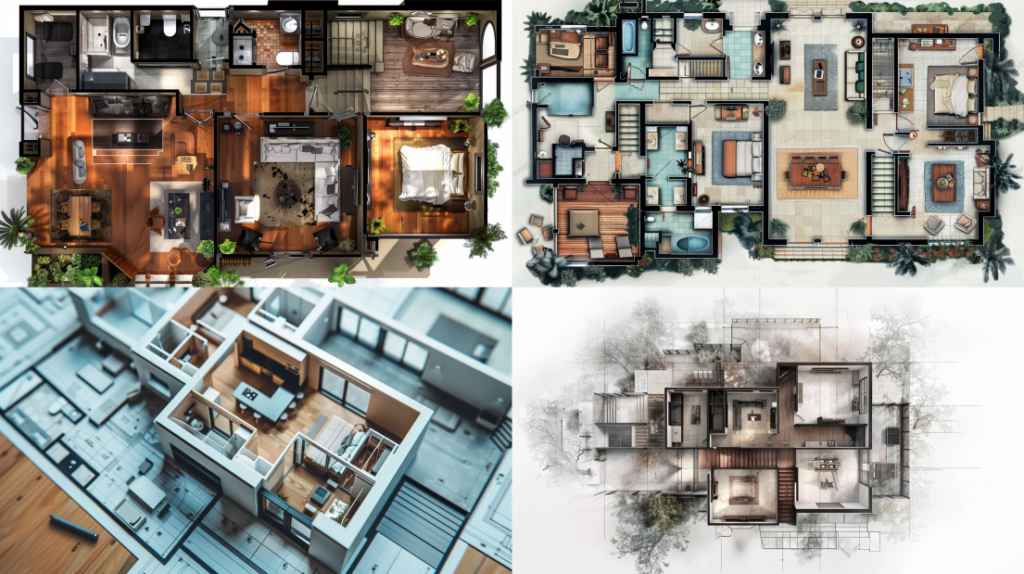 Exploring palette options
/imagine architecture floor plans in various pastel color palettes for inspiration --ar 16:9 --v 6.0
Define the diagram's purpose and mood first (warm, inviting tones for residential; cooler, formal ones for corporate), prompt for that mood, and iterate through options — including the unexpected combinations you wouldn't have tried:
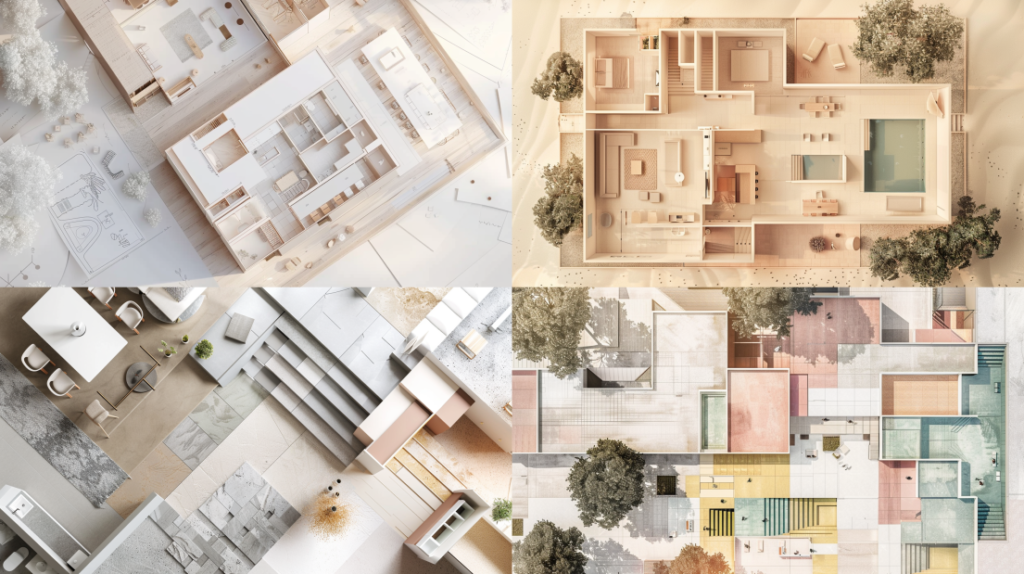 Soft-tone palette inspiration
/imagine architecture floor plans in various soft tone color palettes for inspiration --ar 16:9 --v 6.0
Then lift the colours into your real diagram, balancing harmony with enough contrast to guide the eye without overwhelming it.
The bottom line
String the six together and the real lesson is clear: Midjourney's value to an architect isn't the hero render everyone fixates on — it's the factory. Bespoke trees and people, seamless textures, board layouts, sketch-driven concepts, palette studies — a constant supply of high-quality ingredients you assemble, with judgment, in your real tools. It empowers creativity, compresses the grind of asset-making, and lifts presentations, all at once.
One honest closing note, because it's easy to get drunk on this. Every technique here makes it faster to produce something that looks resolved — a photoreal home, a populated plaza, a polished board — for a design that may not be resolved at all. That polish is persuasive, to clients and to you. We can now manufacture a convincing, finished-looking presentation in an afternoon. We can. Whether the thinking underneath kept pace with the imagery is, uh... the one thing the beautiful board is very good at not asking. So use Midjourney as the brilliant parts supplier it is — and keep the architect firmly in charge of the building.