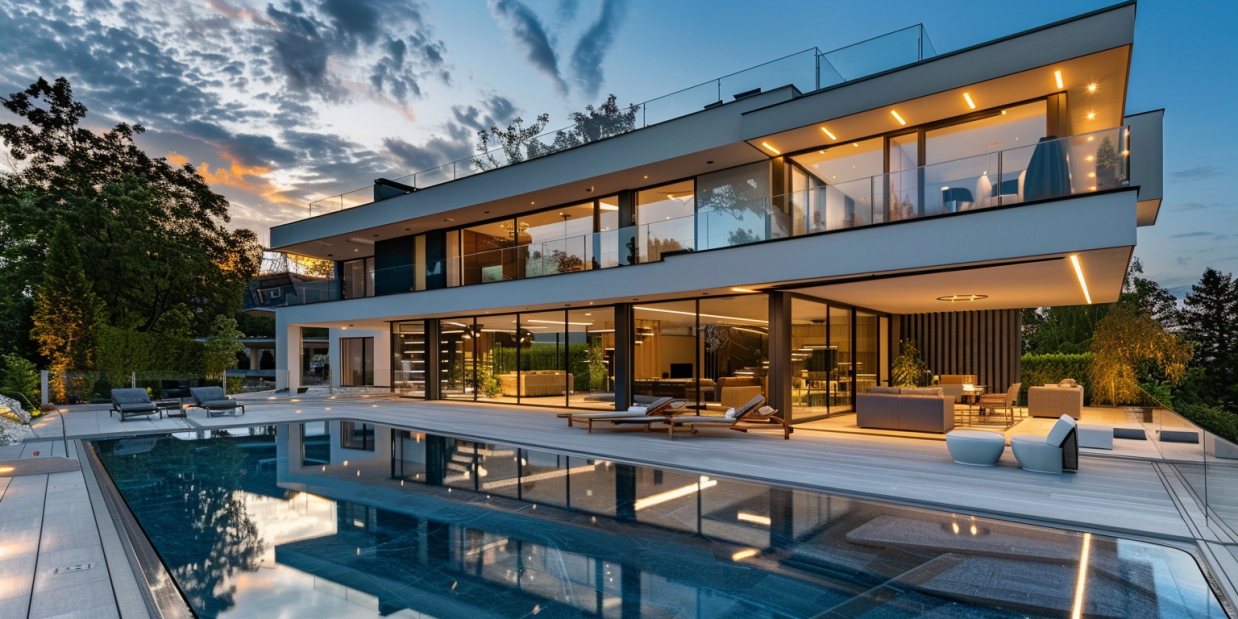
There's a new category of software that promises architects something close to magic: feed it a rough sketch or a bland model, and it hands back a photorealistic render in seconds. A dozen startups are racing to own this space, and the marketing for all of them sounds identical — revolutionary, effortless, AI-powered.
So here's the useful way to cut through it. Under the hood, these tools all run the same fundamental trick — diffusion models taking your image plus a text prompt and generating a render. That means they're rarely separated by whether they can make a building look good; almost all of them can. The thing that actually separates them, over and over in testing, is something subtler: how convincingly they render the world around the building. The trees, the street, the people, the light — the context that makes an image feel real instead of like a model floating in a void.
Keep that lens — environment, not just the object — and the whole field sorts itself out. Here's the scorecard, then the detail:
- Fabrie AI — 8/10: stylized renderings, great for vivid concept work.
- ReRender AI — 5/10: simple and fast, but weak on environment.
- mnml.ai — 8/10: vibrant urban scenes, strong on context.
- LookX AI — 7/10: built for architects, strong on materials and lighting.
- PromeAI — 8/10: versatile, excellent component-level detail.
- Midjourney — specialized: conceptual exploration, not precise rendering.
Fabrie AI — the stylist
Fabrie AI is for architects who want visual flair over literal accuracy — stylized renders that communicate the mood of a design at the concept stage. Its standout practical feature is volume: up to 300 images a day, which makes it a genuine iteration engine for exploring directions fast. The interface is friendly to professionals and hobbyists alike.
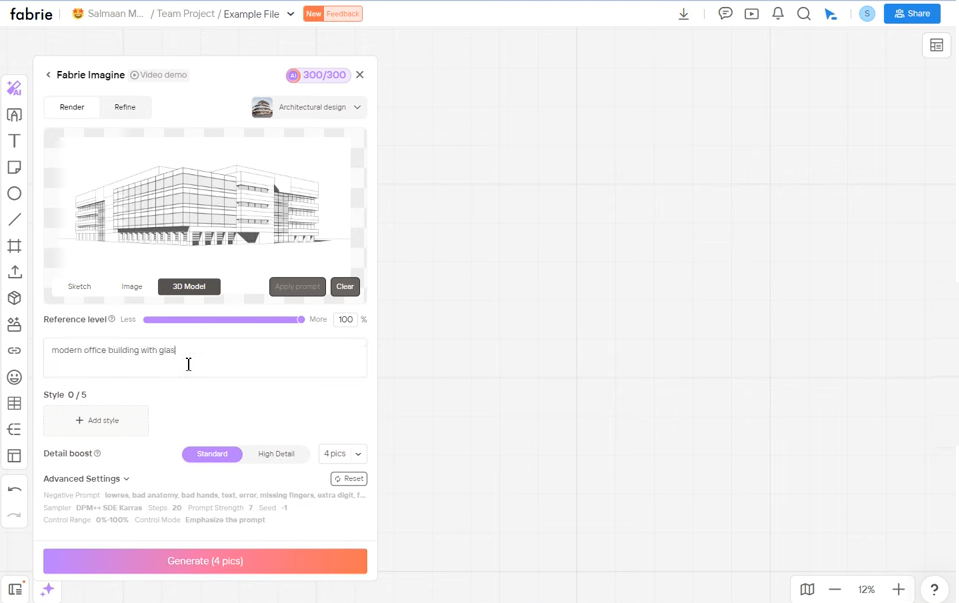 Fabrie AI web interface
True to our through-line, its weakness is the surroundings — buildings render with distinctive style, but the environment around them lacks detail, and the stylization won't suit projects needing hyper-realism. 8/10, earned on style and throughput.
ReRender AI — the quick sketch
ReRender AI is the no-frills option: upload an image, pick a predefined style and building typology, get a fast result. For a solo practitioner or small firm needing a quick early-stage visual without learning heavy software, that simplicity is the entire appeal.
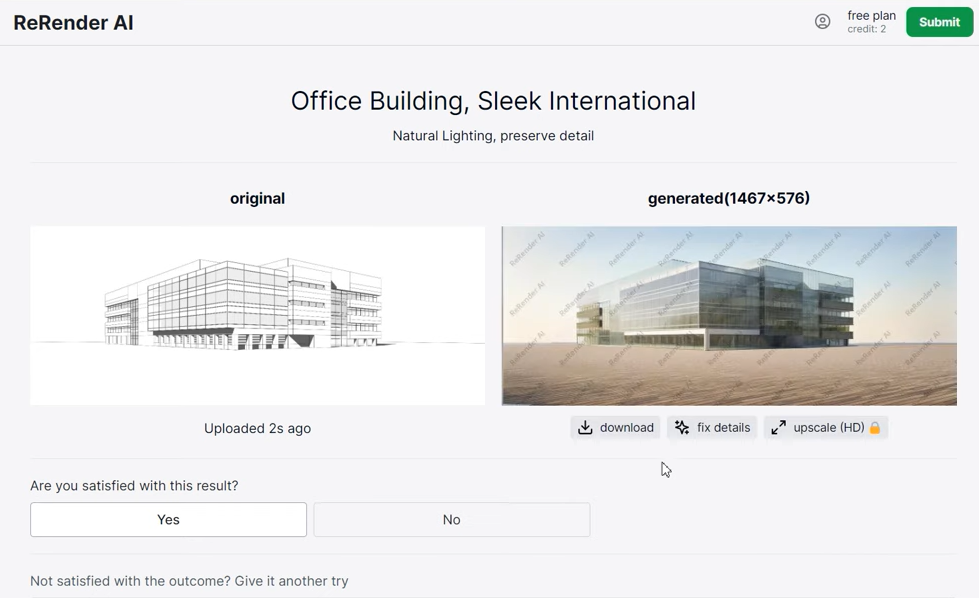 ReRender AI web interface
But it's our thesis in its starkest form — the environment rendering is its clear failing. Outputs feel isolated: no trees, no roads, no background, a building marooned on a blank plate. The free plan is restrictive too. 5/10 — fine for basic visualization, short of commercial polish.
mnml.ai — the context master
mnml.ai is what happens when a tool takes the environment problem seriously. It generates vibrant, lifelike urban scenes — roads, cars, trees, the lot — which makes it the pick for presentation and competition phases, and especially for urban planning and landscape work where the building's relationship to its context is the whole point. It also bundles extra creative tools, like sketch-to-image conversion.
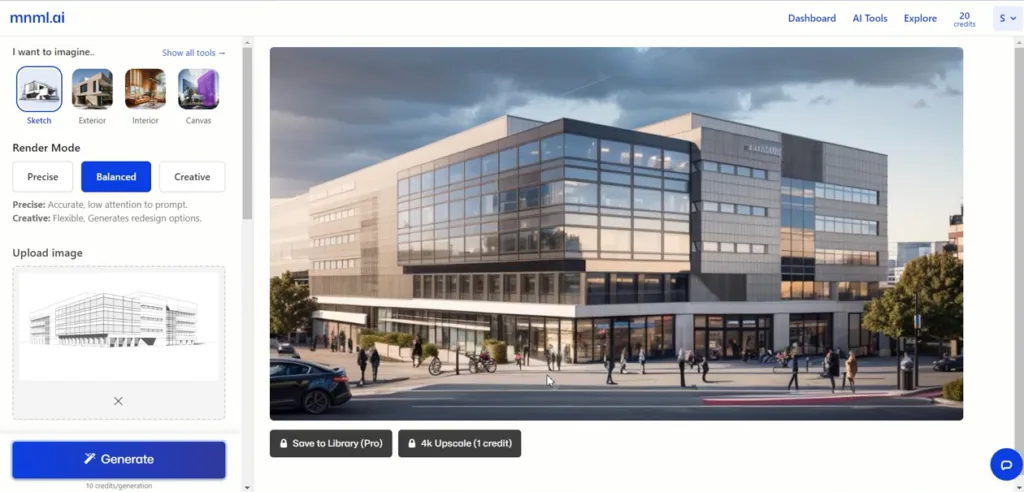 mnml.ai web interface
The breadth means a mild learning curve, the best features sit behind a subscription, and the colours can run too vivid for some palettes. But on the metric that matters most here, it delivers. 8/10.
LookX AI — by architects, for architects
LookX AI bills itself as the first AI platform designed by architects for architects, and the focus shows: it leans into materiality and lighting, with input modes tuned to real architectural visualization needs. For high-end residential, commercial or cultural work — where the precise read of a material under specific light makes or breaks a client approval — that specialization pays off.
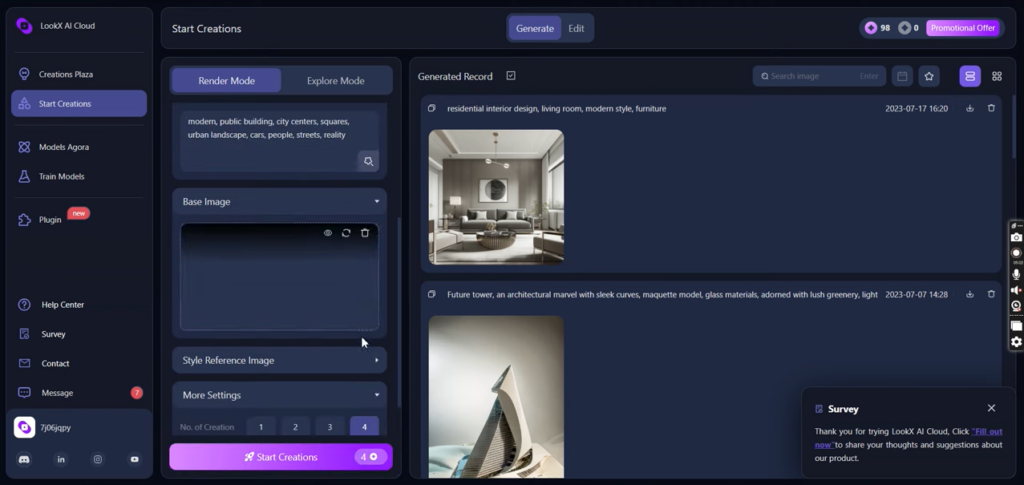 LookX AI web interface
The trade-offs are a steeper learning curve for non-architects, an options-heavy interface, and environments that, while dynamic, occasionally fall short of the most realistic competitors. 7/10.
PromeAI — the detail obsessive
PromeAI wins on versatility and fine detail. A wide array of styles and rendering modes lets you swing from sensitive historical renovation to crisp minimalism, and it's genuinely excellent at component-level rendering — window frames, glass, the small material moments that sell a façade study or an interior.
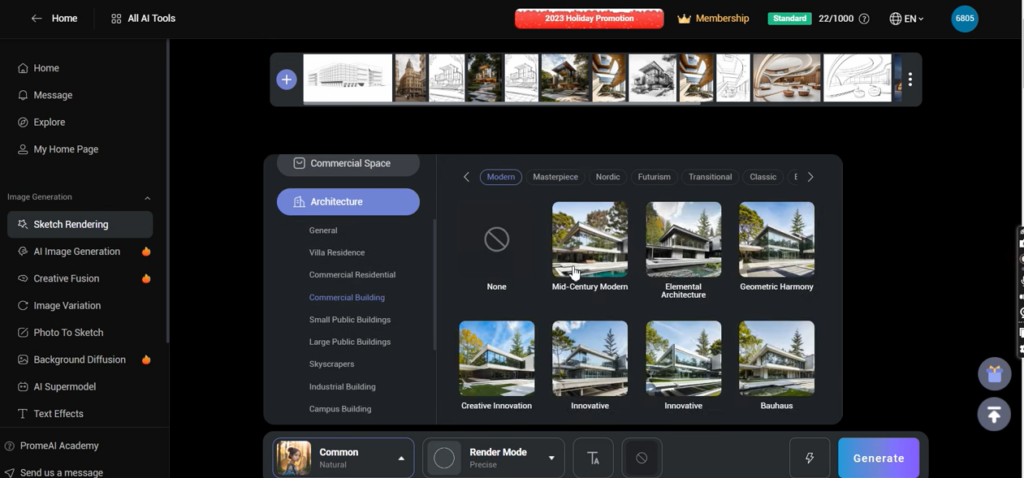 PromeAI web interface
The cost of all that range is complexity for newcomers, and scenes that sometimes lack populated life and activity. 8/10, on material specificity and depth.
Midjourney — the dreamer, not the drafter
Midjourney is the odd one out, and it's important to be honest about why: it isn't really a rendering tool at all. It won't faithfully convert your SketchUp model into an accurate visual. What it's brilliant at is conceptual exploration — pushing imaginative, emotionally evocative directions during the earliest schematic and competition phases, guided entirely by your text prompts. (As architect Samir's experience underlines, it's a creative provocateur, not a rendering pipeline.)
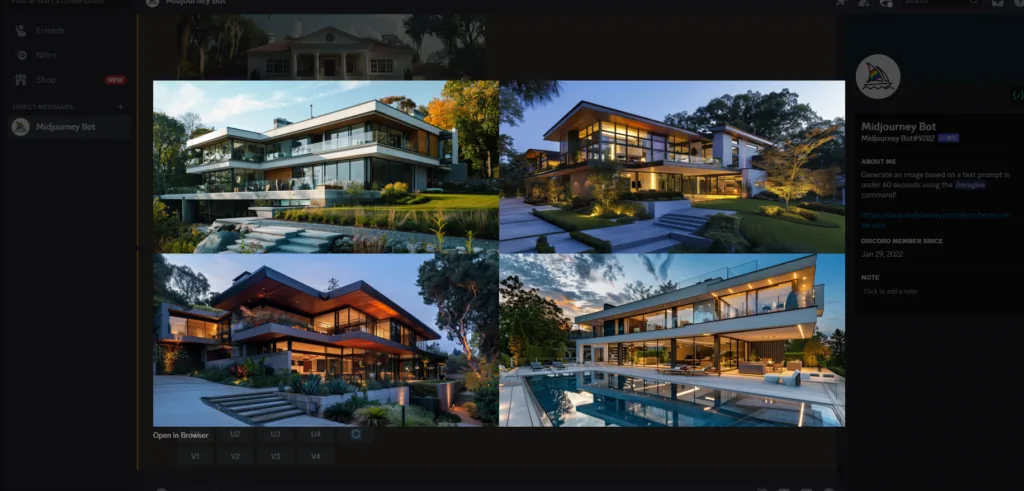 Midjourney's interface
So don't reach for it to produce a precise render or a detailed environment — those aren't its job. Reach for it to break a creative logjam and surprise yourself. Different tool, different verb. For getting real control out of it, the Midjourney tips for architects guide goes deep.
The summary
| Tool | Best for | Why it matters |
|---|---|---|
| Fabrie AI | Stylized concepts, high volume | Rapid visual prototyping with a distinctive look |
| ReRender AI | Quick early-stage visuals | Dead-simple when a basic image will do |
| mnml.ai | Rich urban context | Vibrant, detailed surroundings for presentations |
| LookX AI | Material & lighting fidelity | Architect-built tools for high-end work |
| PromeAI | Detailed components & versatility | Deep material exploration across many styles |
| Midjourney | Conceptual ideation | Creative provocation, not precise rendering |
The bottom line
Two honest takeaways. First, the practical one: match the tool to the phase. Dreaming up a concept? Midjourney. Pitching a building in its neighbourhood? mnml.ai. Studying a façade's materials? PromeAI or LookX. Iterating fast and stylish? Fabrie. There's no single winner — there's a right tool for each moment, and the environment-rendering lens tells you which.
Second, the caveat. This field reshapes itself every few months; these six are a snapshot, not a final answer, and any score here has a short shelf life. More to the point — every one of these tools makes an unbuilt idea look finished and convincing in seconds, and that persuasive polish is a power worth handling carefully. We can now generate a gorgeous render of a building nobody has actually thought through yet. We can. Whether that speeds up good design or just speeds up confident design is, uh... the question worth keeping in your back pocket while you enjoy the magic. For the technique that gives you real control over these models, read up on ControlNet next.