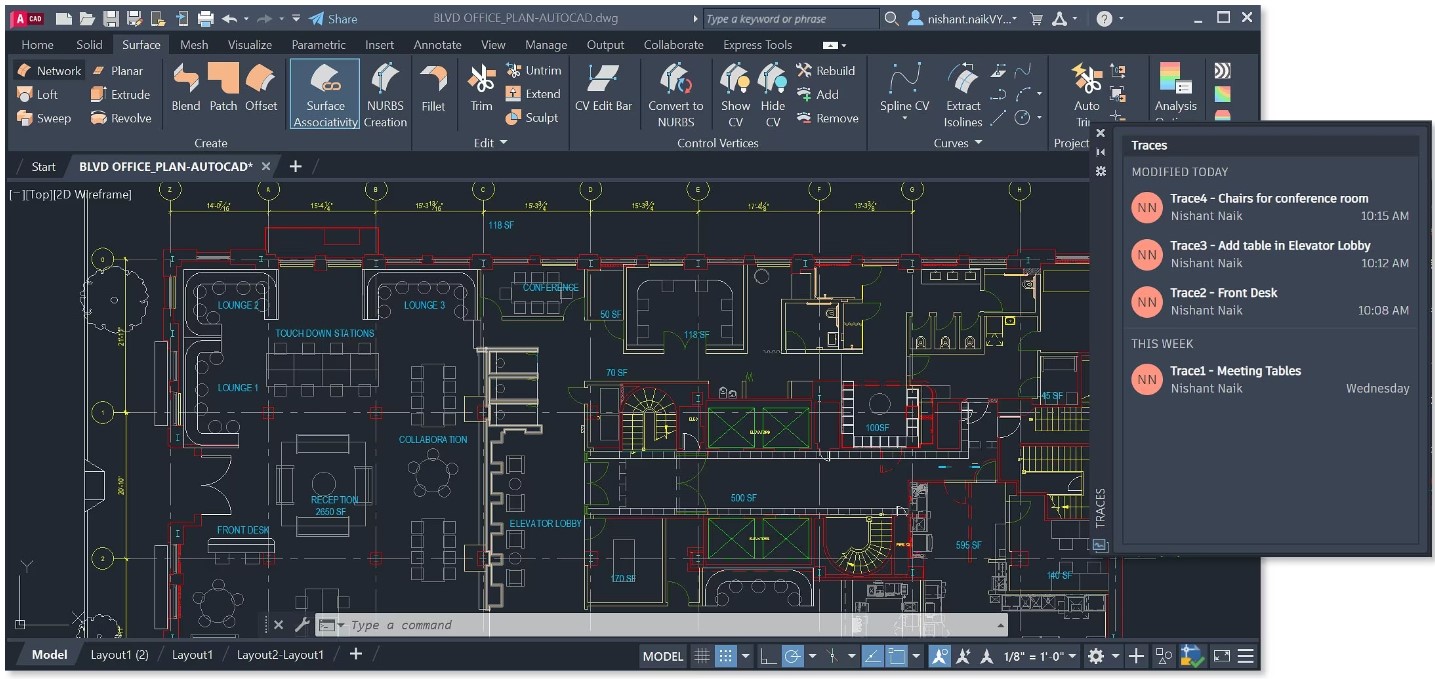
Forty years is a long time for any piece of software to stay standing, let alone stay dominant. AutoCAD has managed it, which means one of two things is true: either it's coasting on inertia, or it's genuinely the right tool for a job that hasn't gone away. The answer, slightly annoyingly, is both — and sorting out which is which is the whole point of a review like this.
Here's the honest frame to start from. Autodesk themselves estimate it takes three months to find where everything is, six months to get up to speed, and a full year to master AutoCAD. Sit with that number. You don't casually try this software; you commit to it. So the real question isn't "is AutoCAD good" — it's "what do you get for surrendering a year, and is that trade still smart in an era of BIM and AI?"
What it actually is: the drafting board, digitized
AutoCAD is Autodesk's Computer-Aided Design tool, and at its core it does one thing supremely well: precise technical drawing, in 2D and 3D, on Windows and Mac (plus web, iOS and Android companions). It's the standard in the architecture, engineering and construction world — the lingua franca of the DWG file — used by architects, engineers, interior designers, manufacturers, and a few hundred thousand students learning what CAD even means.
For architecture specifically, it ships building toolkits that speed up the grind: automated and pre-built objects so you can drop in walls, doors and windows, and machinery for generating elevations, sections and plans from model geometry. It produces detailed, exacting construction documents, and it interchanges cleanly with the rest of the Autodesk family — Revit, 3ds Max — and the wider toolchain.
The command line: AutoCAD's secret handshake
If you want to understand why AutoCAD veterans are fast in a way that looks almost unfair, watch their left hand. While the rest of us hunt through ribbons and toolbars, they're typing — L enter for a line, TR for trim, CO for copy — issuing commands faster than a menu can open.
That command line is the philosophical heart of the program. There's a full graphical UI on top — ribbon, status bar, customizable workspaces, drawing area — and beginners live there happily. But the command line is the express lane: every command in the software is one short string away, no navigation required. It's exactly the kind of thing that's intimidating on day one and indispensable by month six, and it's a big chunk of why the learning curve pays off. You're not learning where the buttons are. You're learning a language.
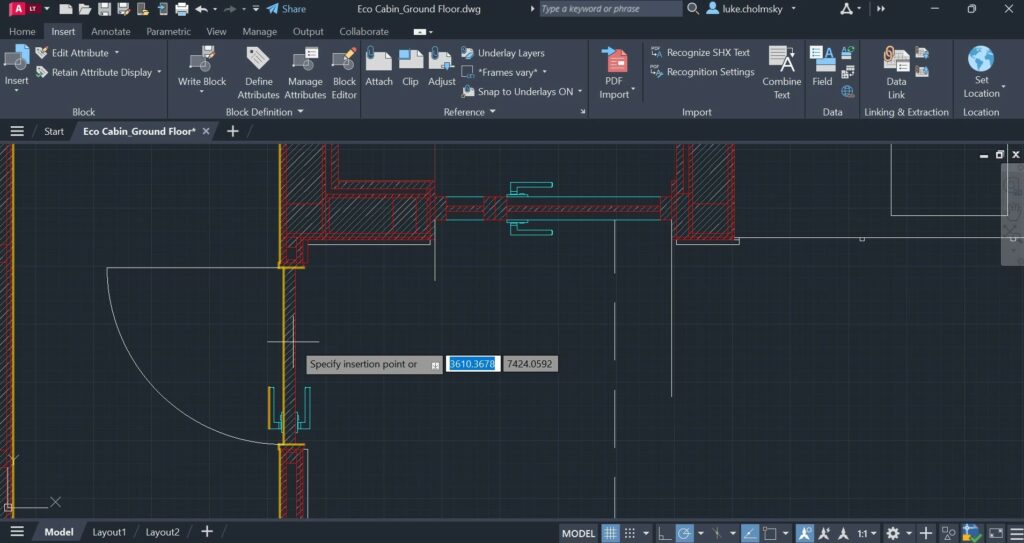 AutoCAD's 2D drafting and detailing
What's new in AutoCAD 2024
Recent releases have, interestingly, started bolting machine learning onto the old drafting workhorse:
- Smart Blocks suggest and auto-place blocks based on how you've placed them before — ML-driven, with recently-used and manual-substitute options.
- Markup Import & Markup Assist let you photograph a marked-up paper drawing or import a PDF, and AutoCAD reads the redlines — it can even detect and execute text instructions like "MOVE," "COPY" or "DELETE." Hand-annotation, automated.
- Activity Insights tracks multi-user changes in a DWG with an activity log, closing the "who changed what" gaps in collaborative work.
- Web functionality adds the AutoLISP API in the browser and batch plot to PDF for subscribers.
- Apple Silicon native support — AutoCAD for Mac 2024 runs natively on M1/M2 chips.
These sit on top of the 2023 graphics-engine overhaul that leans on DirectX 12 GPUs for a smoother display.
What your machine needs
Don't skim this — AutoCAD is genuinely resource-hungry, and "it runs" and "it runs well" are far apart. The 2024 requirements:
- OS: 64-bit Windows 11, or Windows 10 version 1809+.
- Processor: 2.5–2.9 GHz base minimum; 3+ GHz (4+ turbo) recommended. ARM not supported on Windows.
- Memory: 8 GB minimum, 32 GB recommended — and that gap is real once drawings get heavy.
- GPU: 2 GB DirectX 11 card minimum; 8 GB DirectX 12 recommended (DX12 Feature Level 12_0 needed for the fast shaded visual styles).
- Disk: 10 GB, SSD suggested. .NET: 4.8 or later.
Treat the "recommended" column as the real minimum if your day depends on the software.
What it costs
AutoCAD is premium software with a price tag to match:
| Plan | Price | For |
|---|---|---|
| Standard | $220/month or $1,775/year | Individuals and small teams |
| Premium | $2,100/year | Teams of 50+; adds usage reporting, SSO, 24×7 support |
| Enterprise | Custom quote | Large orgs; account management, integration, custom training |
| Education | Free | Students, educators, institutions (annual re-verification) |
There are free trials (7–30 days depending on product), plus periodic trade-in and bundle discounts. Worth noting these are list prices at time of writing; Autodesk adjusts them, so confirm the current number before you budget.
The honest scorecard
Where it wins: it's versatile — 2D and 3D drafting, modeling and visualization in one mature package. It's deeply customizable — workspaces, tool palettes, macros and scripts to automate the repetitive stuff. It's collaborative with modern cloud sharing and DWG compare. And it's the industry standard, which is not nothing: the DWG format and AutoCAD fluency are things the whole AEC world already speaks.
Where it strains: that steep, year-long learning curve. The high, recurring cost. And the heavy hardware appetite that makes it sluggish on older machines.
The bottom line
There's a deeper thing worth naming, because it's the real decision under the surface. AutoCAD, at heart, is a drafting tool — brilliant, precise lines on a digital page. BIM tools like ArchiCAD and Revit aren't drawing lines; they're modeling buildings that know what they are. For pure documentation, detailing and the universal-DWG handshake, AutoCAD is still superb and still everywhere. For data-rich, coordinated building models, the industry has been steadily migrating elsewhere — often to Autodesk's own Revit.
So the recommendation splits cleanly. If you need a powerful, universal, infinitely customizable drafting tool and you're ready to invest the time and money, AutoCAD remains an excellent, safe choice. If you're on a tight budget, new to CAD, or your work is really about building information rather than drawings, start the free trial — but also read the BIM vs CAD guide first, because that's the question you're actually answering.